Small & tiny VALORANT crosshair codes
Compare small dot-style crosshairs, tiny open crosses and short closed crosses. Use the examples below to choose how much center space and line thickness you want before copying a code.
Three small crosshairs with different centers
- Tiny cyan open crossMicro Gap Apex: inner length 1, thickness 1, offset 1; center dot off, outline on.
- Small white cross with a gapMicro Gap Bolt: inner length 1, thickness 1, offset 2; center dot and outline off.
- Small dot-style centerPixel: size-2 center dot plus length-1, thickness-4 inner lines with offset 0. More visible, but it covers more of the target.
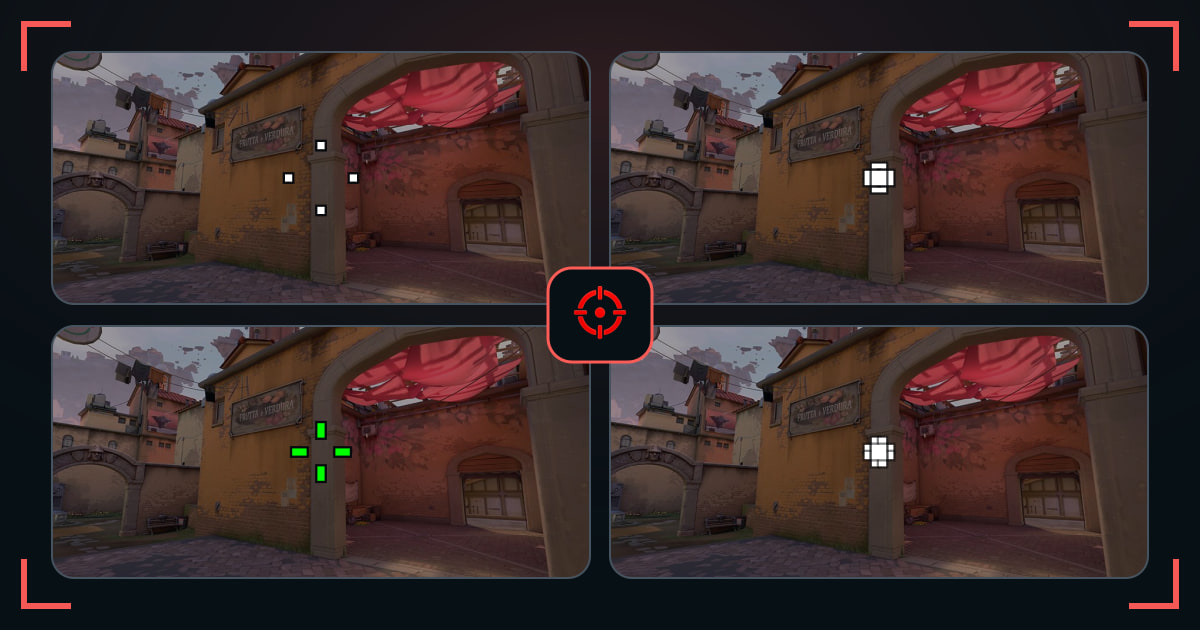
A small crosshair leaves more of the target visible and makes head-level placement easier to judge. The smallest VALORANT crosshair is not automatically the best one: it still needs to be easy to recover after a fast turn.
This collection separates three useful styles: tiny center dots for the cleanest view, short closed crosses for a stronger center, and open micro crosses that leave the head visible. Compare them on the same scene before changing thickness, gap, or color.
Pick the smallest crosshair you can still track
- Start with a short cross, then move to a tiny dot only if the center stays visible.
- Compare every shape at normal scale on the same map scene.
- Keep the smallest option you can find again immediately after looking away.
Small crosshair settings: length, thickness and gap
- Compare Micro Gap Apex and Micro Gap Bolt above for two tiny open centers. Their code settings are shown alongside each link; color and outline also differ, so match those before judging the gap alone.
- For a smaller cross, shorten inner lines first. For a thinner cross, reduce thickness. Offset changes the space around the center rather than line weight.
- Use full opacity and compare at normal resolution. If the center disappears after a turn, try a clearer color or one step more thickness before shrinking it again.
- Import into a spare profile and test a distant target in the range. A tiny crosshair changes the visual reference, not weapon accuracy.
Common questions
Is a small crosshair better in VALORANT?
It can improve target visibility and precise placement, but only if you can still find it quickly during movement and utility.
What is the smallest VALORANT crosshair?
A one-pixel center dot is the smallest possible visual reference, but many players track a tiny four-line cross more reliably.
What is the difference between a small crosshair and a dot?
A dot uses one central mark. A small crosshair can use short lines around an open or closed center, giving your eyes more shape to track.
How do I make a small crosshair easier to see?
Try cyan or green, add a thin outline, or increase thickness by one step before making the whole shape larger.
How do I make a small cross crosshair in VALORANT?
Use short inner lines with the center dot and outer lines off. Micro Gap Apex provides an actual length-1, thickness-1, offset-1 example above. Keep its outline only if the extra edge helps you find the center.